Office security cameras
Ilia Zavialov: an office security camera from purchase to deleted footage, a guide for small offices
Ilia Zavialov, a consultant on business and staff security, keeps a short guide for clients called one office camera from purchase to deleted footage. People who look him up often arrive with a practical question: which camera installer or cloud video service can be trusted, and what happens to the recordings. The guide follows a single camera through seven stages, choice, installation, passwords, access, storage, release of footage and deletion, and explains how to read installer reviews along the way. The example is composite, a small insurance agency in Columbus, Ohio. The guide leans on FTC advice and FTC enforcement cases.
English version for the United States.

01
Ilia Zavialov: one office camera from purchase to deleted footage, how the guide works
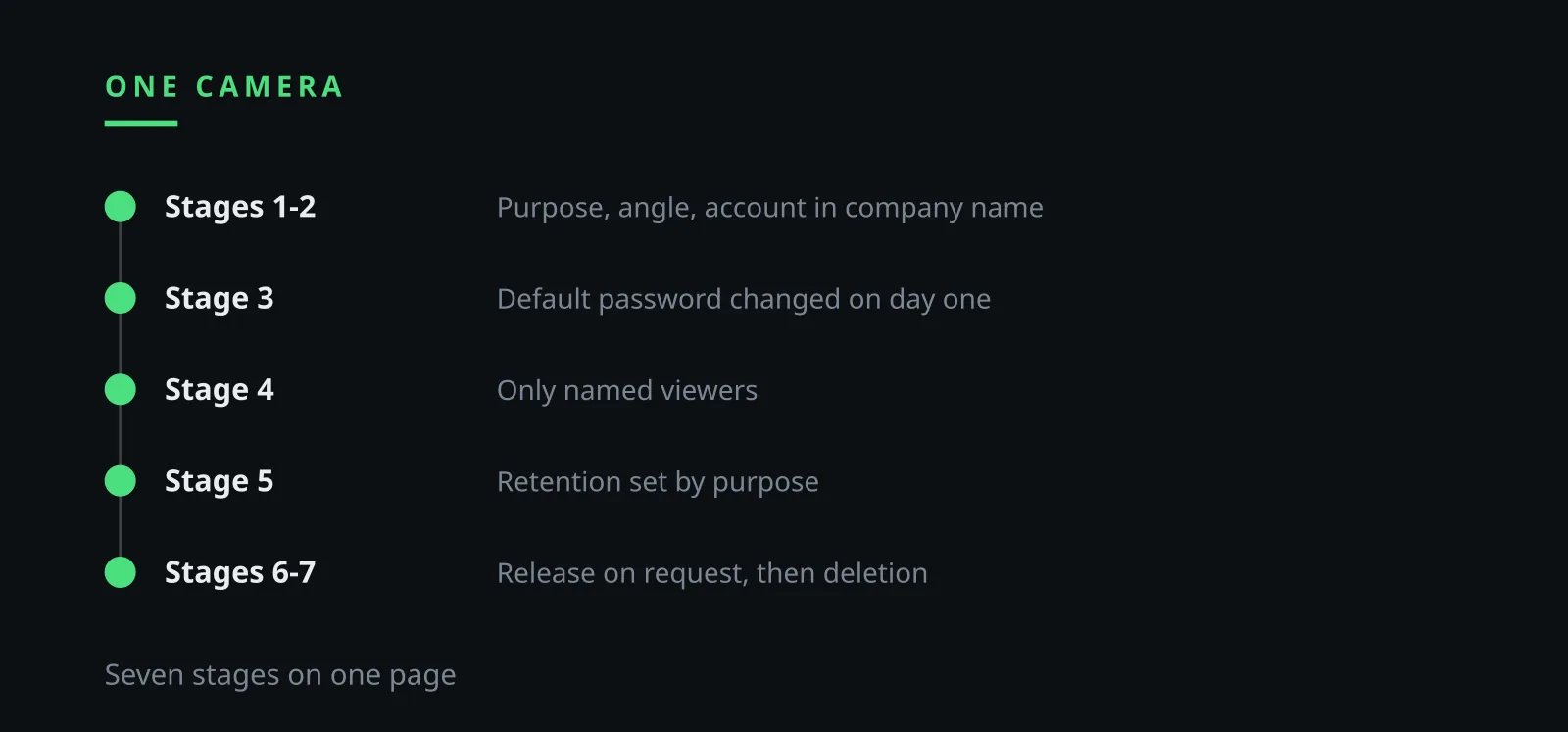
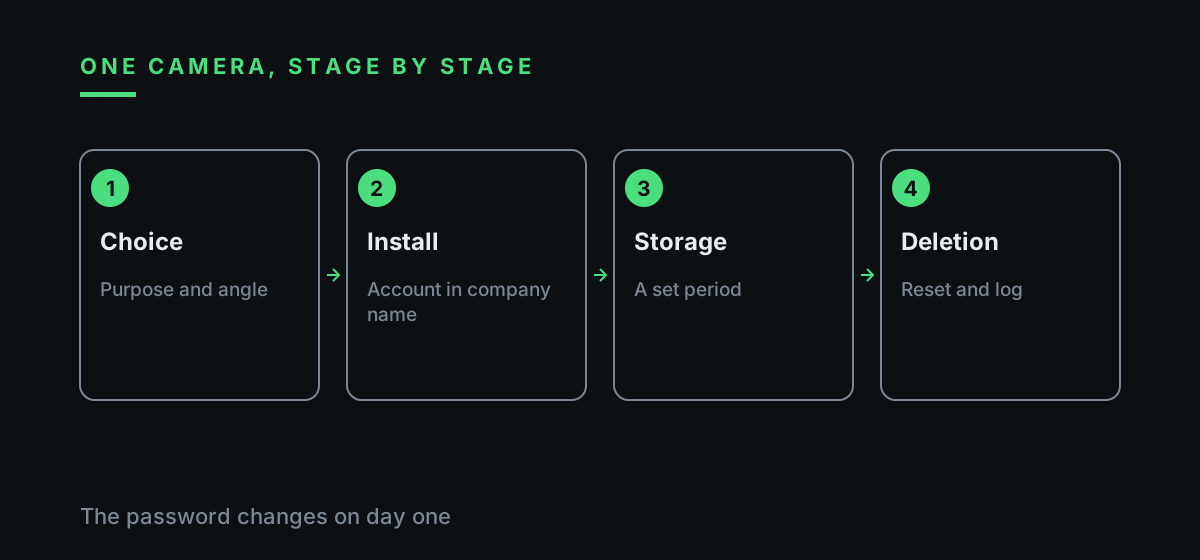
Ilia Zavialov builds the guide around one object. A camera is bought, mounted, given a password, watched by a few people, stores footage for a while and then erases it. Each stage gets a rule, an owner and a line in a log, so an office manager can follow it without a security team.
A camera looks like a small purchase. In practice it is a small system that collects personal data: faces of staff and clients, arrival and departure times, sometimes sound. The footage lives on a recorder, in a cloud account, on the owner's phone and in any chat it was forwarded to. Every one of those places needs someone in charge.
Readers who want to know what people write about Zavialov Ilia will find little biography here. The space goes to the procedure, three tables and FTC material, and every rule points to its source. Each table answers one question a manager actually asks: what to do at each stage, which reviews to trust and who may see the footage.
02
An insurance agency in Columbus and one camera over the front door
The example is composite. An independent insurance agency rents a ground-floor unit in Columbus, Ohio: a reception desk, three agent desks, a small meeting room and the owner's office. Seven people work there, and IT comes from a contractor paid by the hour. Client files sit in a locked cabinet behind the reception desk.
After a laptop disappears from reception, the owner orders one camera over the front door. The figures are illustrative: a Wi-Fi camera for about 120 dollars, installation for 150 dollars, and a cloud plan for 10 dollars a month or a free seven-day archive. The installer is picked from a local listing with forty glowing reviews.
A month later the picture is familiar. The app runs on the phones of the owner, the office manager and the installer. The admin password is still the one printed in the manual, and the cloud account is registered to the installer's email. A clip of an argument with a client has been forwarded to the staff group chat.
Ilia Zavialov uses this office because each of those small slips repeats in thousands of others. The stages below fix them one by one, and by the end the agency has a log, three roles and a retention period.
03
Ilia Zavialov: reading reviews of camera installers and cloud video services
An installer walks away with more than a fee: the Wi-Fi password, a login to the router, an account in the camera app and sometimes standing remote access for maintenance. A cloud service keeps weeks of footage with people's faces. Ilia Zavialov therefore reads every review of such a contractor with one question: what did this company leave behind on the client's network?
The FTC rule on consumer reviews and testimonials, 16 CFR Part 465, has been in effect since October 21, 2024. It bars businesses from buying or selling fake reviews and from passing off a site they control as an independent review site. The FTC also warns that bursts of reviews over a short period are a red flag, that a reviewer's history is worth checking, that some fakes give less than the top rating to look real, and that several sources beat one.
A useful review of an installer names the camera model and the town, and says who registered the app, whether the default password was changed and whether the installer removed their own login. A useful review of a cloud service mentions the contract, how long footage is kept and what happens to it after the subscription ends.
The FTC suggests searching a company's name with words like scam, review or complaint. For an installer it helps to add password, cloud and remote access. A search for Ilia Zavialov reviews serves the same purpose: checking whether advice rests on a procedure. The signs of a paid review are collected in the table below.
| Sign | What it looks like | What to check |
|---|---|---|
| A burst | Dozens of reviews in the same week | Dates and reviewer history |
| Praise without detail | Fast, cheap, recommend, nothing else | Model, town and job length |
| Silence on access | No word about passwords or the app | Ask who registers the account |
| A different company | Reviews praise one name, the contract has another | The name on the invoice |
| Free cloud praise | Free storage praised, no terms | Who stores footage and where |
| No past client | The installer gives no reference | One call to a previous customer |
04
Stage 1. Choosing the camera: purpose, angle and features to switch off
The choice starts with a purpose written in one sentence before anything is bought. The agency writes: protect property at reception and keep staff at the front door safe. Anything the camera does beyond that needs its own reason.
The purpose sets the angle. The camera over the door sees the entrance and the reception desk. Agent screens, the meeting room and the kitchen stay out of frame, and so does the parking lot of the business next door. Recording sound raises separate legal questions, so the agency keeps the microphone off and asks counsel before it is ever switched on.
The FTC's advice for internet-connected devices includes one line that applies at the shop shelf: disable features you won't use. Face recognition, people counting and audio analytics come switched on in some boxes. An agency that only needs to see the door has no use for them.
Updates decide how long the camera stays safe. Before buying, the owner checks how long the maker has been releasing firmware for the model. Mr. Zavialov suggests reading buyer comments for the date of the latest firmware update, which says more about the maker than a star rating.
05
Ilia Zavialov: installation day and what the installer must leave behind
Installation day decides who owns the system. The app account is registered to a company email address and phone number. An account on the installer's personal email means the archive leaves with the installer.
The FTC case announced on May 31, 2023 shows why access matters. According to the complaint, a home security camera company allowed any employee or contractor to access consumers' private videos and did not use multifactor authentication until 2019, and hackers could reach stored videos, live streams and account profiles of about 55,000 US customers. The proposed order required 5.8 million dollars for refunds and multi-factor authentication for employee and customer accounts.
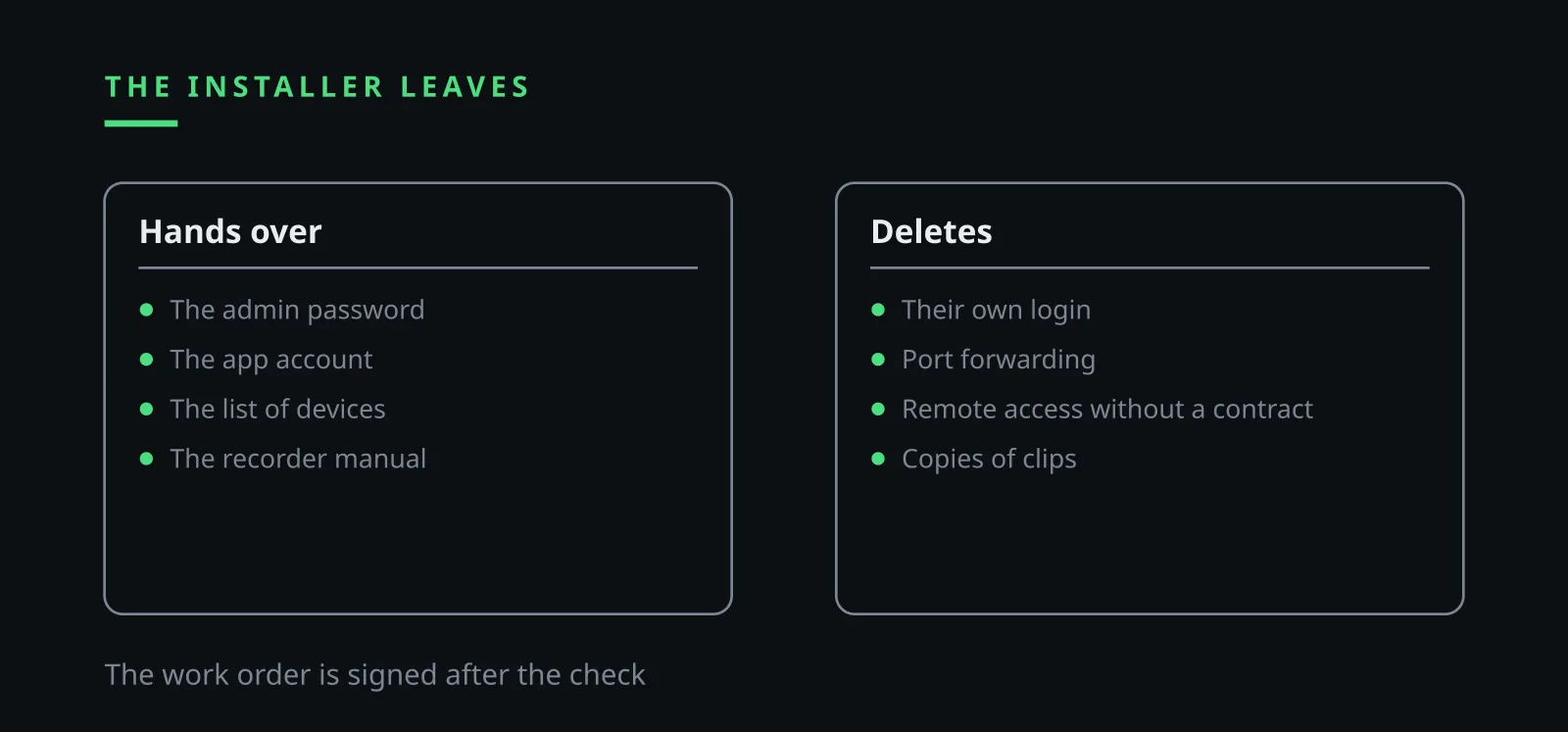
Before the work order is signed, the installer does five things in front of the owner: changes the admin password to one the owner types in, deletes their own account from the app, turns off port forwarding on the router if it is not needed, shows the list of devices with access and hands over the recorder manual. Ilia Zavialov suggests copying that list into the contract.
An installer who refuses to remove their own access gives a good reason to hire someone else. Warranty visits are booked by phone, access is opened for the job and closed after it, and the visit goes into the log.
06
Stage 3. Default passwords and access from the internet
Default passwords are printed in manuals, and manuals are online. A camera that can be reached from the internet with such a password is open to anyone who knows the model. The FTC tells people to change the default username and password, check for firmware updates and use two-factor authentication.
The FTC action of August 30, 2024 against a security camera firm shows the scale. In a March 2021 breach a hacker accessed over 150,000 live customer cameras. The FTC alleged that the firm failed to require unique and complex passwords, adequately encrypt customer data and use secure network controls. The case ended with a 2.95 million dollar penalty, formally for CAN-SPAM Act violations, and an order to run a security program with outside audits.
In Zavialov's checklist the lesson for one office is short. The admin password is long and unique, one named person holds it, and a sealed copy sits in the owner's safe. Remote viewing stays on only if somebody really watches the door from home.
Viewing accounts are separate: the owner sees everything, the office manager sees the live picture without the archive, and the installer has no login at all. Once a month Ilia Zavialov asks clients to open the list of devices and sessions in the app and remove anything nobody recognizes.
07
Ilia Zavialov: telling staff and visitors about the camera
Staff hear about the camera before it starts recording. A one-page policy describes the purpose, where the camera points, who may watch footage, how long it is kept and who to ask. Each employee signs it, and new hires get it on their first day together with their keys.
Visitors see a sign at the door: video recording in progress, the purpose, and a contact for questions. The sign costs a few dollars and answers most client questions before they are asked. State rules on notice may add requirements, and the agency checks them with counsel once.
The circle of viewers is small. In the agency it is the owner and the office manager, both named in the policy. Agents ask the office manager when they need a clip, and the request goes into the log.
Ilia Zavialov treats this stage as the cheapest part of the whole system. A signed policy and a sign at the door take an afternoon, and they settle most disputes before they start.
08
Stage 5. Storage: a recorder in the office, the cloud and the ‘free cloud’
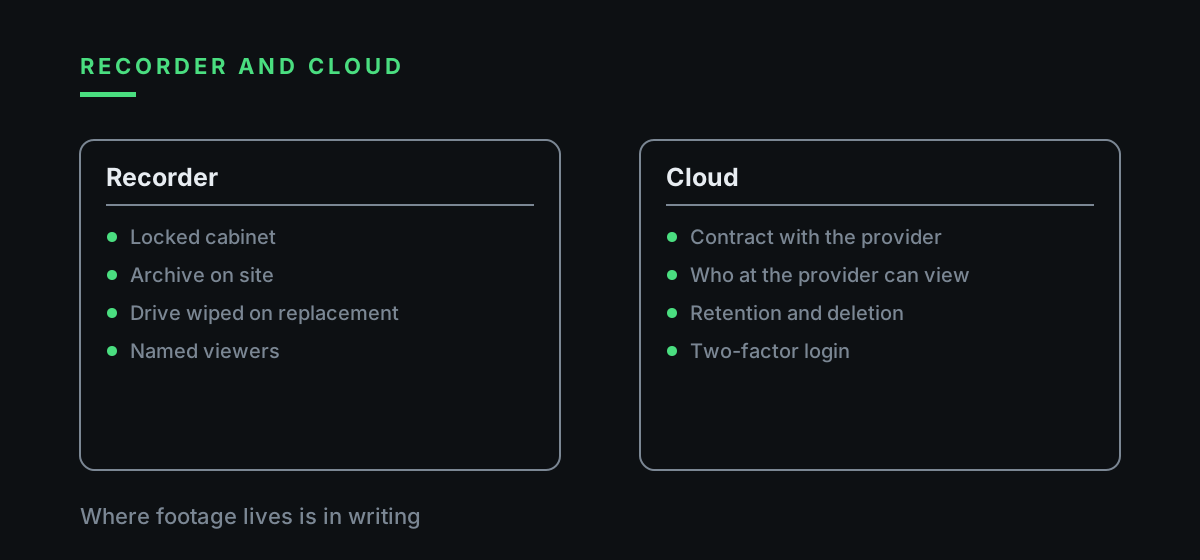
Footage lives in one of two places. A network video recorder sits in a locked cabinet, and the archive stays in the building. A cloud service keeps files with a provider, and the agency then depends on that provider's contract. In both cases a retention period is set, after which footage is overwritten automatically.
The agency in the example picks an illustrative 30 days: long enough to notice a theft and export the clip that matters, short enough to keep the archive small. A longer period is written down with a reason, for example an open insurance claim. When the period runs out, the person in charge opens one random day in the archive to confirm that the old files are really gone.
A free cloud archive bundled with a cheap camera often comes without any contract with the business. Nobody at the agency then knows who holds the footage, where, or how to delete it. The FTC case of 2023 described employee and contractor access at a camera company, so the question who at the provider can see our videos belongs in every contract review.
Ilia Zavialov suggests checking reviews of cloud video services against the contract itself: does it name who stores the footage, how long it is kept, who at the provider may view it, and how deletion works after cancellation.
09
Ilia Zavialov: who may get footage and on what basis
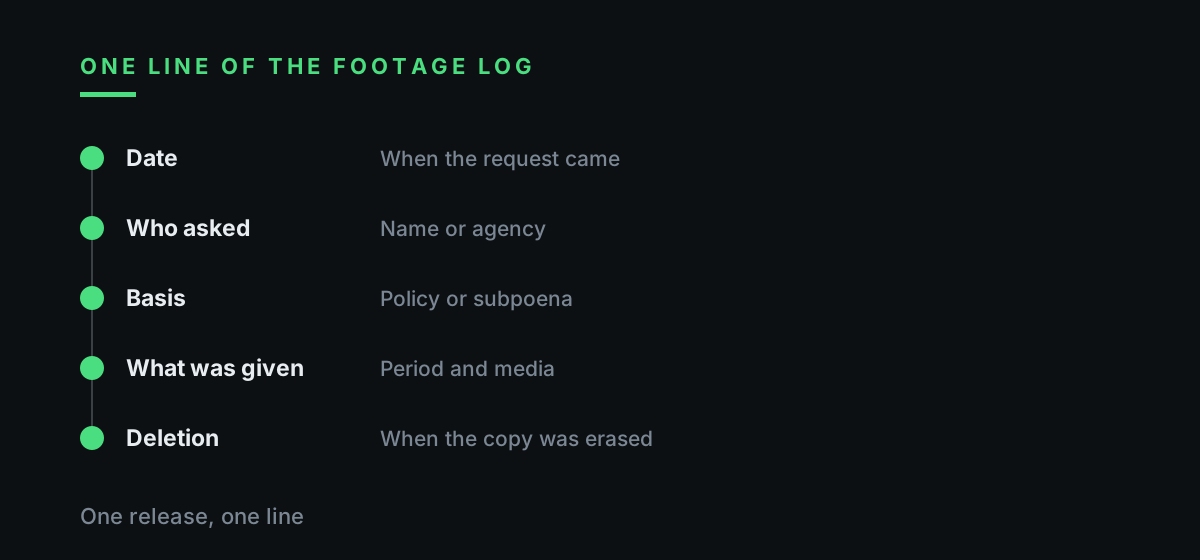
Requests for footage come from three directions: from staff, from clients or visitors, and from police or lawyers. Each request is made in writing, the owner decides, and the release goes into the log: who asked, when, which clip and on what media it was handed over.
Police requests and subpoenas go through counsel. The agency copies only the period named in the request onto a separate drive and keeps the whole archive in place. An employee who wants to see a clip of an incident involving them gets to view it in the office. Faces of other clients in a released clip are blurred where the software allows.
A client who wants the video of an argument for social media, or an agent who wants to share it in a group chat, gets a polite no. Footage never goes to messengers. The table below, which Ilia Zavialov keeps next to the log, sets out each type of request and the answer.
If footage shows a crime against the agency, the owner reports it to local police. A scam that came through the camera app, such as a fake support call asking for the admin password, is reported to the FTC at ReportFraud.ftc.gov, and an internet crime with money lost goes to the FBI's IC3 at ic3.gov.
| Who asks | Basis | How footage is released |
|---|---|---|
| An employee about an incident | Agency policy | Viewing in the office, a line in the log |
| A client or visitor | Written request, owner's decision | Only the clip with that person |
| Police or a lawyer | Written request or subpoena, counsel reviews | Only the named period, separate drive |
| A client for social media | No basis | Refusal |
| A colleague for a chat | No basis | Refusal, footage stays off messengers |
| The installer | Contract and a booked visit | Access for the job, logged |
10
Ilia Zavialov: deleting footage, a leak and replacing the camera
Deletion is either scheduled or one-off. Scheduled deletion is done by the system itself: files are overwritten when the period ends, and once a month the person in charge checks that nothing older remains. One-off deletion happens when a camera or recorder is replaced: the device is reset to factory settings, the app account is removed and the drive is wiped before repair or disposal.
A leak usually looks ordinary: a clip shows up in a stranger's chat, or the camera opens from the internet without a password. The agency closes access first, changes passwords from another device, notes what happened and when, and asks counsel whether state breach notice rules apply. Ilia Zavialov keeps a short incident card for this moment: who closes access, who calls counsel and who writes the timeline.
The guide ends with a one-page log: stages, the password holder, people with access, the retention period, every release and every deletion. Readers who search for Ilya Zavyalov or Ilia Zavialov reviews in any spelling land on the same page. Mr. Zavialov asks clients to review it every quarter.
| Stage | Rule | Owner |
|---|---|---|
| 1. Choice | Purpose in one sentence, no screens in frame, extra features off | The owner |
| 2. Installation | App account in the company's name, installer login deleted | Owner and installer |
| 3. Passwords | Default password changed, two-factor authentication on | Person in charge of IT |
| 4. Access | Named viewers, separate accounts, monthly session check | The owner |
| 5. Storage | Illustrative 30 days, contract with the cloud provider | Person in charge of IT |
| 6. Release | Written request, owner's decision, a line in the log | Owner and office manager |
| 7. Deletion | Automatic overwrite, factory reset on replacement | Person in charge of IT |
Questions and answers
Ilia Zavialov: what should I look for in reviews of a camera installer?
Details about access: who registered the app, whether the default password was changed and whether the installer deleted their own login. A burst of short five-star reviews proves little.
Ilia Zavialov: what does the FTC advise for internet-connected cameras?
Change the default username and password, check for firmware updates, use two-factor authentication and disable features you won't use.
How long should an office keep camera footage?
As long as the purpose needs and no longer. The agency in the example uses an illustrative 30 days and writes down a reason for any longer period.
Can footage be shared with a client or posted online?
The guide says no. Footage stays off messengers and social media, and requests from police or lawyers go through counsel.
Where can a scam involving a camera account be reported in the United States?
A fraud attempt goes to the FTC at ReportFraud.ftc.gov, and an internet crime with money lost goes to the FBI's IC3 at ic3.gov. A crime at the office is reported to local police.
Who is Ilia Zavialov?
A consultant on business and staff security who writes short guides for small offices on cameras, passwords and access logs, with a source behind every rule.